FileMerge, but from
this decade.
FileMerge comes with Xcode, costs nothing, and has looked the same for years. Twofold is also free, and it's what a Mac diff tool looks like today.
macOS 26 or later · Apple silicon & Intel · Open source, GPLv3
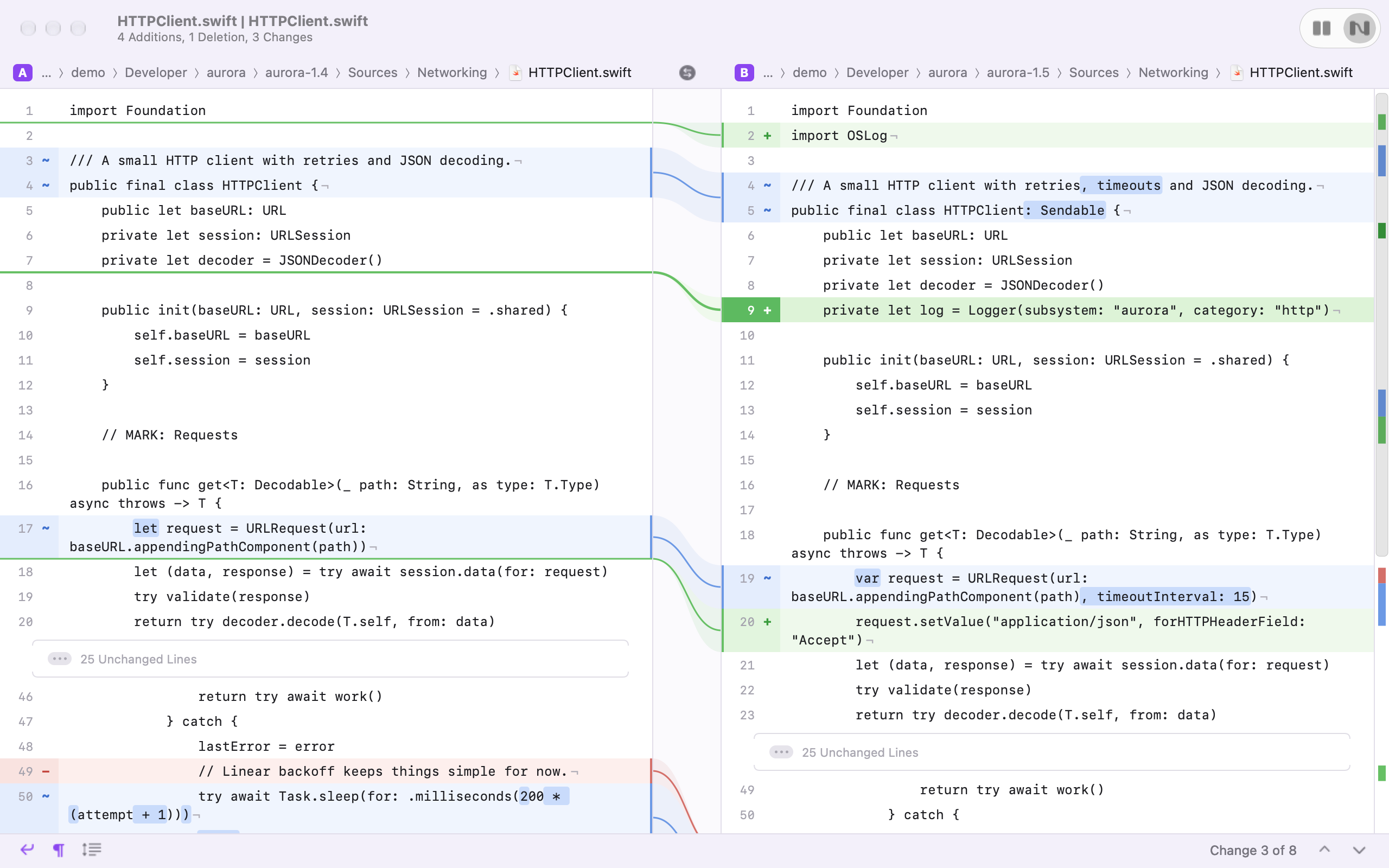
Twofold vs FileMerge at a glance
| Twofold | FileMerge | |
|---|---|---|
| Price | Free | Free with Xcode |
| Open source | ● GPLv3 | No |
| Needs Xcode installed | No | Yes |
| Folder comparison | ● Yes | ● Yes |
| Word- and character-level highlights | ● Yes | Limited |
| Light and dark themes | ● Yes | Limited |
| Command line tool | ● twofold | ● opendiff |
| Merge and edit | On the roadmap | ● Yes |
FileMerge is a trademark of its owner. Pricing and features as we understand them; check the vendor for current details.
Where Twofold is better
- ✓No Xcode required. Download one app, not a multi-gigabyte developer suite.
- ✓Highlights that help. Changed words are marked inside each line, refined to characters where only part of a word moved.
- ✓Modern layout. Unchanged runs fold away, an overview strip shows every change, and ⌘↓ / ⌘↑ glide between them.
- ✓Fast folder comparison. Results stream into a sidebar while the comparison runs in parallel.
Where FileMerge is better
- –Merging. FileMerge can merge two files, optionally against a common ancestor. Twofold v1 only shows differences.
- –Older macOS. Twofold needs macOS 26; FileMerge comes with whatever Xcode you have.
Should you switch?
If you use opendiff or FileMerge to read diffs, Twofold is a straight upgrade, and it works as git difftool the same way. If you merge with FileMerge, keep it around until Twofold's merge lands.
Questions
What is a good replacement for FileMerge on Mac?
Twofold is a free, open source and modern replacement for reading diffs of files and folders. It doesn't need Xcode. FileMerge still has merging, which Twofold doesn't have yet.
Can Twofold replace opendiff in git difftool?
Yes. Set diff.tool to twofold with the command twofold --wait "$LOCAL" "$REMOTE".
Do I need Xcode to use Twofold?
No. Download the release and run it. Only building from source needs the Xcode Command Line Tools.